Automated offer acceptance
Lock in top-paying offers instantly with rules that accept the moment they appear.
AutoGrabber filters incoming offers, accepts the right gigs instantly, and rejects the rest—so you stay in control, avoid missed opportunities, and drive smarter on Spark, Dasher, and Uber workflows.
Smart Filters
Only accept $2.20+/mi
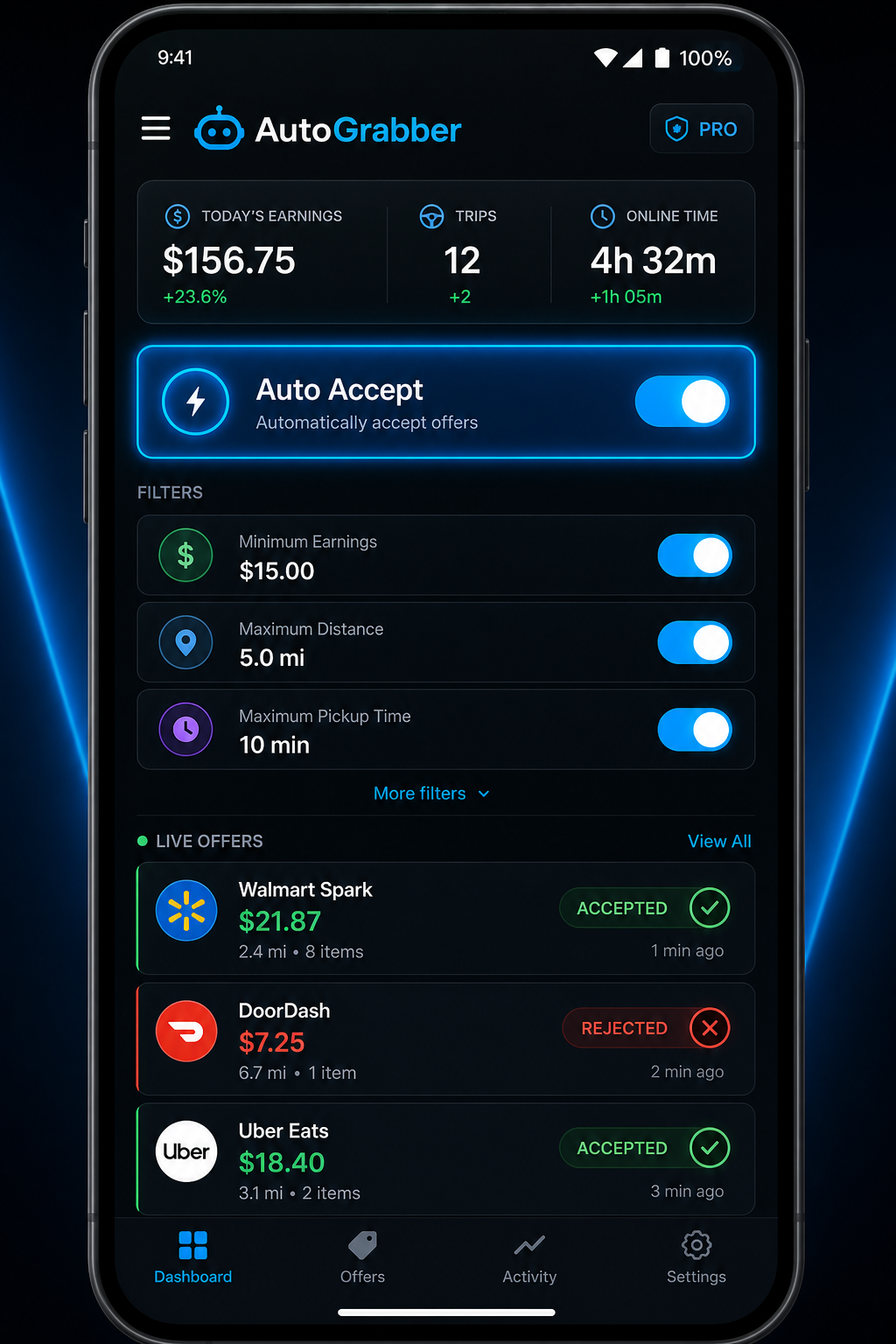
Auto Decisions
0.4s average response
Features built for speed
AutoGrabber streamlines every incoming offer so you accept the right jobs instantly, reject distractions, and stay focused on driving instead of tapping.
Download the APK
Instant install • No subscriptions
Lock in top-paying offers instantly with rules that accept the moment they appear.
Auto-skip low pay, long miles, or late-night trips so your feed stays clean.
React in milliseconds with pre-set filters and keep your acceptance rate steady.
Manage offers from multiple platforms without hopping between apps.
Always know when AutoGrabber is running with bright toggles and status rings.
Toggle filters, pause automation, and edit rules in seconds without clutter.
Skip the app store delays. The APK gives you immediate access to the newest automation tools so you never miss high-paying offers again.
Tap Download APK
Save the latest AutoGrabber build directly to your device.
Open the installer
Find the file in Downloads and follow Android’s setup prompts.
Launch and connect
Log in, set your filters, and let AutoGrabber accept the best offers.
Tip: If prompted, enable installs from trusted sources in Android settings.
Fast install, no waiting. Keep your automation tools up to date and ready for every shift.
Need help? The FAQ below covers installation and permissions.
FAQ
AutoGrabber helps gig drivers respond to offers instantly with rules they control. Here are the top questions about setup, safety, and supported workflows.